
The White House
Executive Office of the PresidentNews & Magazines
4.91.80K Reviews
- Version
- 47.7.11
- Installs
- 100.00K
- Age Rating
- Everyone
Screenshots
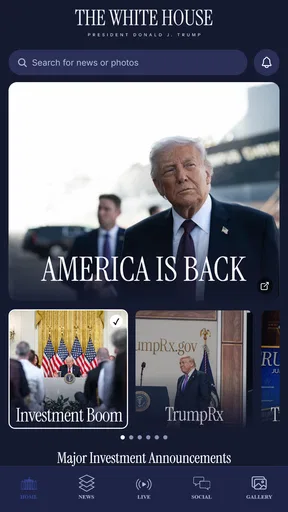
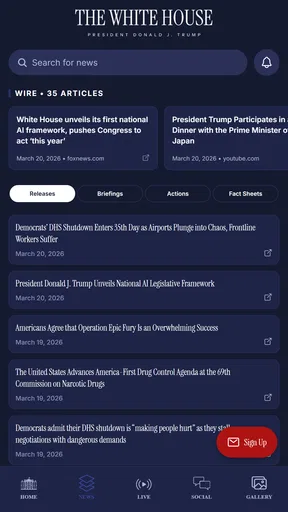
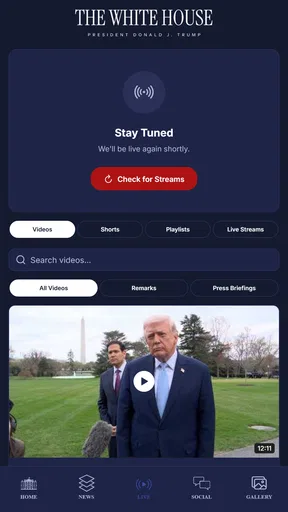
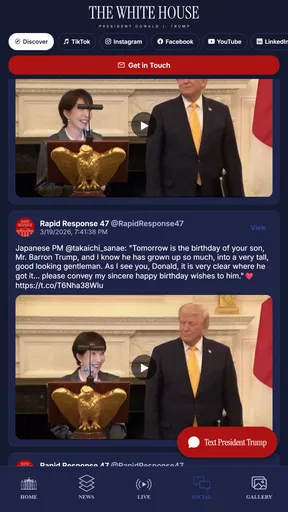
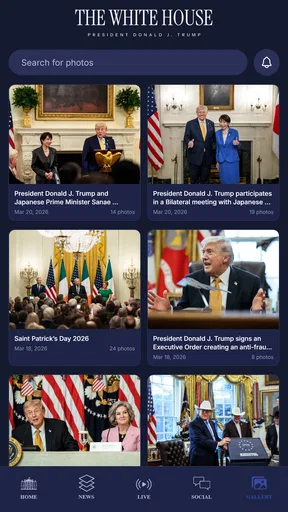
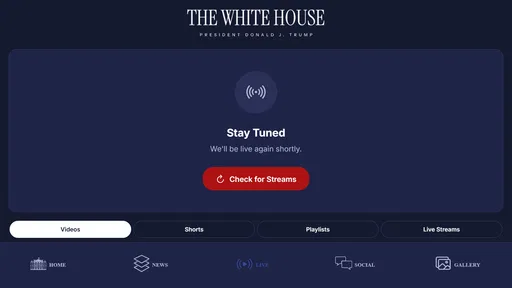
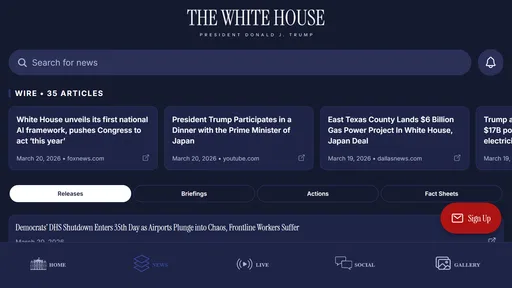
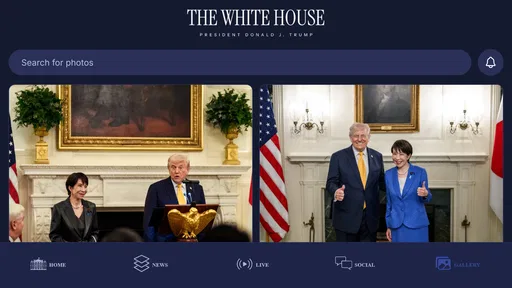
Our Review of The White House
 Analysis by Appyee
I installed The White House to see whether an official government news app could be useful in everyday life without becoming another noisy feed. My overall impression is that it has a clear purpose: it puts White House updates, policy information, breaking developments, and live coverage in one place. That focus makes it more practical than a general news app when I want to follow the administration directly, but it also means the experience is narrower than a full news service.
This is a free News & Magazines app from the Executive Office of the President, intended for everyone and available on Android devices running version 7.0 or later. The current release is 47.6.2, and its audience is already substantial, with more than one hundred thousand installs, an average score of 4.6 from roughly two thousand eight hundred ratings, and about one thousand one hundred written reviews. Those figures suggest that many people find value in having an official source close at hand, although popularity alone is not a substitute for checking information carefully.
What I found when using the app
I found the app most useful when I treated it as a deliberate check-in rather than a feed to keep open all day. In this section, I’ll look at how its official updates and live coverage can fit into a practical news routine, and where I’d pair them with other sources. That distinction helps set up the next section’s closer look at the choices I’d make before relying on it regularly.
A direct source rather than a complete news replacement
The first thing I noticed is that this app is best understood as a direct information channel, not as a newspaper in miniature. It is built around White House material, including announcements, policy communication, breaking news, and live streams. If I want to know what the administration has published or is presenting at an event, this focus is useful. If I want competing interpretations, local reporting, international context, or investigative follow-up, I still need another source.
That distinction matters because official communication and independent journalism serve different purposes. The app can help me reach the original statement before it has been shortened or interpreted elsewhere. At the same time, an official source naturally presents events from the institution’s point of view. I would not use it alone to decide what a complicated announcement means in practice.
For example, imagine I am commuting when a policy announcement appears in the news. I can open the app to look for the White House’s own wording, watch a live stream if one is available, and save the key details mentally before reading analysis from a newspaper or broadcaster later. That workflow is more reliable than reacting to a headline copied through several social platforms, but it works best when I treat the app as the first stop rather than the last word.
Why the official developer changes the trust question
The developer is the Executive Office of the President, which gives the app an important kind of transparency: I know the source is connected to the institution whose communications it presents. That is valuable when I want to distinguish an official statement from commentary, a parody account, or an unattributed post. The app’s identity is straightforward, and the store description clearly positions it around White House information.
Still, source authenticity and complete neutrality are not the same thing. I can trust the app to be the appropriate place for official material while remaining aware that official material is selective by nature. The strongest habit is to use it for primary-source reading, then compare important claims with independent reporting and original documents from other relevant agencies or organizations.
I also prefer this arrangement to relying on screenshots shared in messaging groups. A screenshot can be cropped, outdated, or detached from the surrounding statement. Opening the official app gives me a better chance of seeing the item in its intended context. That is a practical trust benefit, even though it does not remove the need for judgment.
Live coverage is useful, but not always the most efficient format
Live streams are one of the more distinctive reasons to install this app. When a briefing or public event matters to me, watching the source directly can reveal tone, qualifications, and the order in which information was presented. A short social clip often removes those details. For serious topics, that extra context can prevent me from forming an opinion from a fragment.
The trade-off is time. A live broadcast may be valuable when I have the attention to watch it, but inconvenient when I only need a specific fact. In that situation, a written update or a reputable news summary may be faster. I would use the app’s live material when the event itself matters, not automatically for every update.
A useful personal routine is to check the written information first, decide whether the subject affects me directly, and then choose between watching live coverage or reading outside analysis. This keeps the app from turning into a constant stream of background video and makes the live feature serve a clear purpose.
How I would organize it alongside other news tools
I would not replace my general news reader with this application. A broad news app is better for comparing headlines from different outlets, following local stories, and seeing how a development affects specific industries or communities. A television or radio app may be more convenient when I want a quick summary while doing something else. Social media is faster for discovering that something happened, although it is also more vulnerable to rumor and context loss.
The White House app fits between those choices as a primary-source companion. I would open it when I want the institution’s own announcement, a policy explanation, or live coverage. Then I would use independent reporting to test the significance, background, and consequences. That two-step approach is more useful than asking one app to provide every kind of information.
It is also a better fit for readers who follow federal policy closely. Students, public-sector workers, journalists, teachers, researchers, and people whose jobs are affected by government decisions may appreciate direct access. Someone who mainly wants sports, entertainment, local weather, or a broad morning digest will probably find the focus too limited.
Permissions, privacy, and the limits of what I can responsibly conclude
Trust is not only about who publishes the content. It is also about what an app asks to do on a device, how it handles personal information, and whether it gives people meaningful choices. I would therefore examine the permission prompts and privacy disclosures shown on my own device before deciding how comfortable I am. Those details can vary with the operating system and the app’s current configuration, so I would not treat a general impression as proof of a particular data practice.
My practical advice is simple: read each permission request instead of approving everything automatically. If a prompt appears, I would ask whether it makes sense for the feature I am trying to use. I would also review the app’s privacy information through the store and device settings, and check whether notifications can be adjusted or disabled. These steps do not require technical expertise, and they give me more control over how the app fits into my phone.
I am especially careful with news applications because notification access can shape my attention even when the content itself is useful. A breaking update may be important, but constant alerts can create pressure to react before I have enough context. I would begin with conservative notification settings, then enable only what I genuinely need. That is one of the easiest ways to keep an official information source from becoming a distraction.
Where personal control matters most
The app is free, which removes a subscription decision, but free access does not mean I should ignore the rest of the user experience. I still want to know when alerts appear, what opens when I tap a notification, and whether I can stop receiving updates without uninstalling the app. I would check those controls in the app and in Android’s notification settings rather than assuming the default arrangement is ideal.
I also recommend separating urgency from importance. A breaking-news label can tell me that something is new, but it does not tell me whether I need to act immediately. When I receive an alert, I would open the full item, identify whether it is an announcement, a live event, or a policy explanation, and then compare major claims with independent coverage. This small pause is particularly helpful when a subject is politically sensitive or likely to affect personal decisions.
For families, the everyone age classification makes the app broadly accessible, but adults should still explain the difference between official communication and balanced reporting to younger readers. A child may assume that an official source automatically includes every relevant fact. I would use the app as an opportunity to teach source awareness: who is speaking, what purpose the message serves, and what other perspectives might be needed.
Three practical ways I would use it
- Primary-source checking: when a headline makes a strong claim about the administration, I would look for the original White House statement before sharing it.
- Event verification: when a live briefing is central to a developing story, I would watch the official stream and then read independent reporting for interpretation and follow-up.
- Focused policy monitoring: if a federal decision affects my work, studies, travel, or community, I would use the app for announcements while keeping a separate source for practical guidance and implementation details.
These uses reveal the app’s strongest quality: it can reduce the distance between a reader and an official announcement. They also show its main limitation. The app may tell me what the White House says, but I may need other sources to understand how a policy works, whether it has changed, and how different groups are responding.
Small frictions I would keep in mind
The narrow editorial scope is the biggest limitation. I cannot expect this app to provide the breadth of a conventional news service. If I open it hoping for a complete picture of a major event, I may leave with only one side of the story. That is not necessarily a defect in its intended role, but it becomes a problem if I mistake official communication for comprehensive coverage.
Another possible friction is the difference between fast access and careful reading. Breaking updates and live streams are convenient, yet speed can encourage shallow consumption. I would avoid making important decisions from a notification preview or a short statement alone. The app is most useful when I give the material enough attention to understand whether it is a formal announcement, a speech, or an ongoing event.
Device compatibility is also worth checking before installing. The app supports Android 7.0 and later, so users on older software may not be able to use it. For supported devices, the free price makes testing straightforward: I can install it, review the available controls, and decide whether the focused content earns a place on my home screen.
Who should install it, and who should skip it
I would recommend it to anyone who regularly wants direct White House updates, follows federal policy, or prefers checking original statements before reading commentary. It is particularly useful for people who are tired of depending on reposts and want a clearer path to official announcements and live events.
I would be more cautious about recommending it to someone who wants one app to summarize the entire news cycle. That reader will likely be better served by a broad news aggregator or a trusted newsroom, with this app added only when direct government material is important. I would also suggest skipping it if notifications from a political source would increase stress or make it harder to maintain a balanced information routine.
For my own use, I would keep it installed but deliberately limit its role. I would check it when a federal story matters, use the official material to establish what was actually said, and then move to independent sources for context. I would not leave every alert enabled, and I would review permissions and privacy choices rather than treating installation as automatic permission for everything the phone offers.
My cautious verdict
The White House is most valuable as a direct-source tool, not as a complete news replacement. Its official origin, policy focus, breaking updates, and live streams give it a clear place in a careful news routine. The free price and broad age classification also make it easy for interested readers to try.
My recommendation comes with an important condition: use it actively, not passively. Check the source, read beyond the alert, control notifications, review device permissions and privacy choices, and compare consequential claims with independent reporting. That approach respects what the app does well while avoiding the common mistake of treating any single channel as the whole story.
After using it, I see a focused application with a legitimate everyday purpose. It is a good choice when I want the White House’s own updates close at hand, especially around a live event or a developing policy announcement. It is not the right choice for readers seeking broad coverage, local reporting, or analysis in one place. For those who understand that boundary, this app can be a useful and manageable addition to a balanced information setup.
Privacy and Permissions
See what permissions an app requests and how it handles your data.
- Location
- approximate location (network-based), precise location (GPS and network-based)
- Photos/Media/Files
- read the contents of your USB storage, modify or delete the contents of your USB storage
- Storage
- read the contents of your USB storage, modify or delete the contents of your USB storage
- Microphone
- record audio
- Wi-Fi connection information
- view Wi-Fi connections
- Other
- view network connections, full network access, change your audio settings, run at startup, draw over other apps, control vibration, prevent device from sleeping, Google Play license check
Verdict
Strengths of The White House
- Official source for U.S. presidential news and statements.
- Provides timely updates on policies, events, and executive actions.
- Includes speeches, briefings, videos, and official announcements.
- Simple navigation makes key government information easy to find.
- Free access without requiring a subscription or account.
Limitations of The White House
- Content is presented from the administration’s official viewpoint.
- Some pages may feel too formal for casual readers.
- Updates can become less frequent outside major news events.
- Limited interactive features compared with mainstream news apps.
- Not ideal for users seeking independent analysis or opposing views.
Similar Picks in This Category
View All
Google News - Daily Headlines
Google LLC4.0

X
X Corp.4.8

Flipboard:Your Social Magazine
Flipboard3.4

Opera News: breaking & local
Opera4.5

Hindi News by Dainik Bhaskar
Dainik Bhaskar Group4.0

Way2News Daily News App
Way2News ( Formerly Way2SMS )4.6
Frequently Asked Questions
What is The White House app?
The White House app is an official-style information platform focused on news, announcements, speeches, press briefings, statements, and public updates connected with the White House. After exploring its sections, users can generally expect a straightforward way to browse government-related content, view recent communications, and find information about current administration activities in one centralized mobile experience.
Is The White House app free to download and use?
In most cases, The White House app can be downloaded and used without paying an upfront fee. However, availability and included features may differ depending on whether you use Android or iOS, your country, and the version provided through the relevant app store. It is also worth checking the store listing for advertising, optional purchases, or data-use details before installing.
What kind of content can I find in The White House app?
The app is designed for users who want quick access to official information, including presidential news, executive actions, speeches, statements, press releases, event updates, and other public communications. Depending on the version, it may also include videos, photographs, live or recorded briefings, and links to official resources. Content is usually organized by topic or publication date.
Does The White House app provide real-time notifications?
Notification support may be available for important announcements, new statements, press briefings, or other updates, but the exact options depend on the app version and your device settings. During installation, users should review notification permissions and decide whether alerts are useful for them. Keep in mind that notifications can arrive with delays and should not always be treated as a live news service.
Is The White House app an official government application?
Users should verify the developer name, publisher information, website link, and privacy policy shown on Google Play or the Apple App Store before downloading. Several apps may use similar names or display public White House information without being officially operated by the U.S. government. Checking these details helps confirm authenticity and ensures you understand how the app handles personal information and permissions.
